Smartwatches have long promised to untether us from our phones — but until now, the reality often fell short. With Wear OS 7, Google is making a serious case that the wrist-based computing era has truly arrived. Unveiled at Google I/O 2026 and now rolling out to eligible devices, the update packs in meaningful changes: real-time Live Updates, measurable battery gains, a smarter widget system, and a platform that's increasingly ready for serious enterprise use. Whether you're a daily commuter, a fitness enthusiast, or an IT manager evaluating wearables at scale, Wear OS 7 deserves your full attention.
What Is Wear OS 7 and Who Gets It?
Google unveiled Wear OS 7 at its 2026 I/O event, bringing several new features to its wearable platform.
These features will find their way to Samsung's Galaxy Watch models as well, since the company's smartwatches run on Wear OS.
On the Pixel Watch side, the rollout has already begun.
According to Verizon support documents, the Pixel Watch 2, Pixel Watch 3, and Pixel Watch 4 are all set to receive the Wear OS 7 update.
Unfortunately, that also appears to confirm that the original Pixel Watch won't be getting Wear OS 7.
The scope of this update is far broader than a cosmetic refresh.
The software update carries over some of the design tweaks the company plans to introduce in Android 17, lays the groundwork for new Gemini Intelligence features, and adds interface elements that display glanceable information in new ways.
Live Updates: Real-Time Information Right on Your Wrist
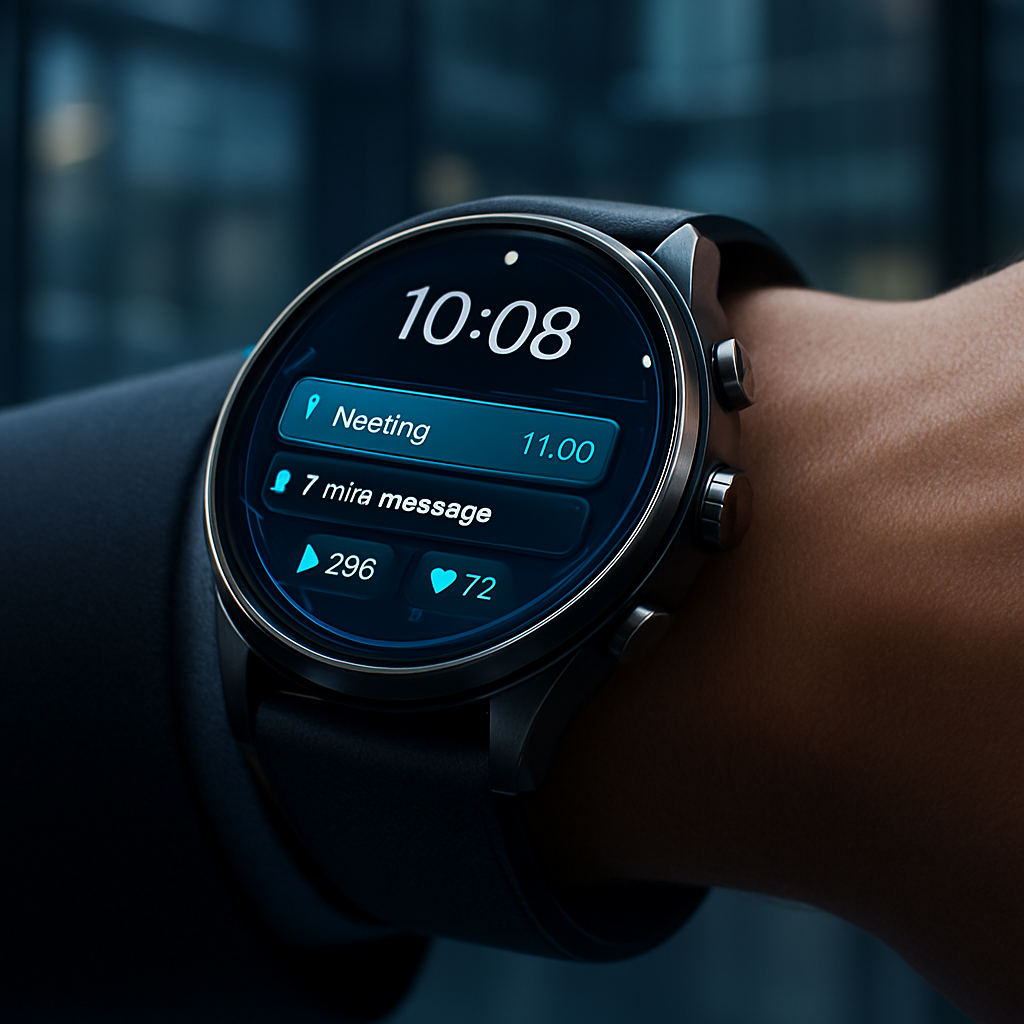
The headline feature of Wear OS 7 is undoubtedly Live Updates — and it's every bit as useful as it sounds.
The biggest feature is called Live Updates, which first debuted on phones running Android 16, allowing you to track rideshares, deliveries, select live events, and more through a new type of notification that emulates other online tracking tools.
The notification style lets developers create a timeline to keep you informed about the service's status, showing the progress it has made so far.
You will see a persistent icon at the bottom of your watch face and a card at the top of the notifications feed. Tapping provides the real-time status and other details that appear on phones.
What makes this especially powerful from a development standpoint is the low barrier to adoption.
Google has designed it so developers can easily port the feature between Android phones and watches, meaning you should see it appear across multiple apps as development time is reduced.
For enterprise users, the implications are clear: field workers can track delivery schedules, logistics managers can monitor shipment statuses, and on-call staff can receive time-sensitive alerts — all with a glance at their wrist, no phone required.
Battery Life: A Genuine, Meaningful Improvement
Battery life has historically been the Achilles heel of smartwatches. Wear OS 7 takes a meaningful step forward.
Wear OS 7 features "deep, system-level power optimizations" that result in up to 10% improvement in battery life compared to Wear OS 6.
Google attributes the improvements to platform-level changes aimed at reducing power consumption across smartwatch experiences.
Ten percent might sound modest, but consider the context.
According to Google, more than half of Wear OS users wear their watches every day of the week, with many keeping them on for more than 23 hours per day.
That may not sound dramatic on paper. However, for smartwatch users constantly juggling charging habits, an extra few hours can make a genuine difference.
For enterprise deployments — where workers wear devices across long shifts without easy access to charging points — that 10% gain isn't just a nice-to-have. It's a productivity and reliability requirement.
Wear Widgets: Smarter, More Customisable Information Panels
Wear OS 7 retires the old "Tiles" format and replaces it with a more flexible, phone-aligned system.
The biggest of those additions is what Google calls Wear Widgets, an evolution of the informational "tiles" that have been the bread and butter of the Wear OS experience for years.
Visually, the biggest change is the move from full-screen Tiles to Wear Widgets, which come in small (2x1) and large (2x2) card-like sizes and are meant to align more closely with the widget system on phones.
The AI-powered customisation angle here is particularly exciting.
Widgets that users make with Google's AI-powered Create My Widget tool will also be able to make the jump to smartwatches.
Google says the updated widgets are intended to help users access relevant information with fewer taps and less navigation inside apps. Developers will also be able to build richer widget experiences optimised specifically for wearable displays.
For enterprise IT teams, this means custom dashboards tailored to specific workflows — a warehouse picker's pick-rate metrics, a nurse's patient alert queue, a field technician's job list — can now be built and deployed directly to the wrist.
Gemini Intelligence: The AI Layer Coming Later This Year
Wear OS 7 lays the groundwork for what could be the most transformative shift in wearable computing: on-wrist AI assistance.
Perhaps the most exciting headline from the Wear OS 7 announcement is the arrival of Gemini Intelligence on select smartwatches. As part of a broader rollout across the Android ecosystem, Gemini will provide proactive and personalised help directly on the wrist, helping users focus on what matters without constantly reaching for their phone.
Wear OS 7 includes several APIs developers can use to connect their apps with the Gemini Intelligence system. These include an AppFunctions API capable of integrating app features with Google's assistant, as well as support for task automation directly from the wrist, such as placing an order through a food delivery app.
Gemini Intelligence features will allow you to build custom dashboards and automate daily tasks using simple voice commands.
For enterprise contexts — think voice-driven work order creation, automated status updates, or hands-free task management on a factory floor — this is the feature to watch.
Connected Device Control: The Hub Expands
Wear OS 7 also repositions the smartwatch as the central hub for your entire connected ecosystem.
System media controls now feature an integrated output switcher. This lets you "control what's playing on your headphones, home speakers and more, and switch audio from one device to another."
From the ground up, Wear OS 7 is built to work better with your connected devices, including your earbuds or intelligent eyewear, which launches this fall. If you take a photo with your audio glasses, for example, you can review your capture instantly with a quick glance on your watch.
Wear OS 7 also gives you more control over which settings appear for each media app. It lets you choose which apps auto-launch controls on your wrist when you're playing music from your phone. For example, you can tailor it so these appear automatically in Spotify but not when watching YouTube videos.
What Wear OS 7 Means for Enterprise Wearables
The enterprise wearables market is at an inflection point.
The IoT-enabled industrial wearables market is projected to reach $4.70 billion globally in 2026.
IoT wearables are shifting from pilot projects to enterprise infrastructure across the healthcare, industrial, and logistics sectors. Secure integration, compliance readiness, and data architecture determine wearable success more than device hardware alone.
Wear OS 7 addresses several of these enterprise requirements head-on:
- Standardised Fitness & Health Tracking:
Fitness tracking is a major focus. Google is introducing something called Wear Workout Tracker, a native tracking framework developers can use instead of building their own systems from scratch.
- Developer Platform Maturity:
Wear Widgets align with the broader Android widget story, AppFunctions plug into the same agent infrastructure as phones, and Navigation 3 brings Wear OS in line with mobile Compose patterns. The watch is becoming a first-class citizen in the Android ecosystem rather than a separate silo.
- Battery Reliability: For shift workers and field operatives, the system-level battery optimisations directly reduce device management overhead.
Practical Tips: Getting the Most from Wear OS 7 Right Now
Ready to take action? Here's what you can do immediately:
- Check your device eligibility. If you own a Pixel Watch 2, 3, or 4, check your watch's software update settings — the Wear OS 7 rollout has begun as of June 2026.
- Enable Live Updates for your most-used apps. Once updated, look for Live Update support in delivery apps, ride-sharing services, and fitness trackers. It appears as a persistent card at the top of your notifications feed.
- Rebuild your widgets. Take time to replace old Tiles with the new Wear Widgets. Use the Create My Widget AI tool to design a custom dashboard that surfaces only the data you need at a glance.
- Audit your media controls.
Wear OS 7 lets you choose which apps auto-launch controls on your wrist — set it so these appear automatically in Spotify but not when watching YouTube videos.
Customise this in your watch settings to reduce noise.
5. Prepare for Gemini Intelligence. If you're an IT manager, start evaluating which workflows could benefit from voice-driven automation on the wrist. The AppFunctions API is available to developers now — begin scoping your use cases ahead of the full rollout.
6. Monitor the Galaxy Watch update timeline. Samsung Galaxy Watch users should watch for official confirmation of their Wear OS 7 rollout date from Samsung, as features will be identical at the platform level.
Conclusion: The Smartwatch Just Got Smarter — And More Business-Ready
Wear OS 7 is not a flashy, face-lift update. It's a foundational one. Live Updates make glanceable information genuinely useful. The battery gains are real and operationally significant. Wear Widgets bring flexibility that both consumers and enterprise developers have long needed. And with Gemini Intelligence on the horizon, the platform is clearly building toward something bigger: a wrist-based assistant that doesn't just notify you, but actually helps you do things.
For enterprise decision-makers, now is the time to evaluate Wear OS 7-powered devices as part of your 2026 wearable strategy. The platform has matured, the ecosystem is aligned, and the business case has never been stronger.
Is your organisation ready to put Wear OS 7 to work? Explore our in-depth enterprise wearables guides, or get in touch with our team to discuss how Wear OS 7 devices can be deployed and managed at scale across your workforce.